Product Page

MikroDuino-II ATMEGA32 Arduino Board Pakistan – Buy Now | microsolution.com.pk
₨ 4,800
[yith_wcwl_add_to_wishlist]
Need some help?
Contact Us
Product Ships in
2-3-business Days
Payment Methods:

MikroDuino-II ATMEGA32 Arduino Board Pakistan - Buy Now | microsolution.com.pk
Product Introduction
Pakistan's electronics education sector thrives on practical, hands-on learning. Students across the country need reliable, affordable platforms to develop embedded systems skills. The MikroDuino-II AVR ATMEGA32 Arduino Compatible Board Without LCD, IC And Arduino provides exactly what learners and professionals require for their projects.
This flexible development board supports the powerful AVR ATMEGA32 microcontroller, which offers 32 general-purpose input/output lines . You can build complex applications with ease using this robust platform. The MikroDuino-II AVR ATMEGA32 Arduino Compatible Board Without LCD, IC And Arduino gives you control over every aspect of your project development.
Students appreciate the Arduino IDE compatibility of this board. You program the MikroDuino-II AVR ATMEGA32 Arduino Compatible Board Without LCD, IC And Arduino directly from the familiar Arduino environment . Beginners learn quickly without struggling with complex programming tools. Professionals also benefit from this straightforward approach to development.
The board includes essential onboard components like vibrant LEDs, a buzzer, tactile push buttons, and a potentiometer . This MikroDuino-II AVR ATMEGA32 Arduino Compatible Board Without LCD, IC And Arduino also features an interface for the DS18B20 temperature sensor. You receive instant visual, auditory, and analog feedback during prototyping, accelerating your learning process.
What makes this MikroDuino-II AVR ATMEGA32 Arduino Compatible Board Without LCD, IC And Arduino truly versatile is its Arduino Nano compatibility . The board hosts a socket for Arduino Nano, allowing project portability between platforms. You can develop projects on this board and easily migrate them to Arduino Nano or vice versa.
The Pakistan market demands cost-effective solutions without compromising quality. This MikroDuino-II AVR ATMEGA32 Arduino Compatible Board Without LCD, IC And Arduino delivers exactly that combination. You get premium features at an affordable price point, making it accessible to students across universities in Lahore, Karachi, and Islamabad.
Quality distinguishes this board from alternatives. The design includes on-board 5V and 3.3V regulators, ensuring stable power delivery . The MikroDuino-II AVR ATMEGA32 Arduino Compatible Board Without LCD, IC And Arduino features an external DC power supply interface with reverse polarity protection. Your projects remain safe from common power-related issues.
Professionals value the board's complete reconfigurability. The MikroDuino-II AVR ATMEGA32 Arduino Compatible Board Without LCD, IC And Arduino allows you to connect onboard LEDs to any IO lines using jumpers . You have complete freedom to customize the board for your specific application requirements.
The USBASP programmer interface simplifies code uploading . This MikroDuino-II AVR ATMEGA32 Arduino Compatible Board Without LCD, IC And Arduino also includes an FTDI232 USB-to-Serial interface for programming through Arduino IDE. You enjoy multiple options for connecting and programming the board.
Pakistan's maker community continues to grow rapidly. The MikroDuino-II AVR ATMEGA32 Arduino Compatible Board Without LCD, IC And Arduino empowers students, hobbyists, and professionals to turn ideas into reality. Whether you build smart home devices, robotics projects, or interactive installations, this board supports your creative journey .
Durability ensures long-term value for education. This robust MikroDuino-II AVR ATMEGA32 Arduino Compatible Board Without LCD, IC And Arduino withstands the demands of repeated student use in university labs. The high-quality PCB and components maintain reliable performance over extended periods.
2️⃣ Key Features
-
Program this board directly using the Arduino IDE for a familiar development experience .
-
Install your preferred ATMEGA32 microcontroller (IC required separately) for full customization.
-
Access 32 general-purpose IO lines for connecting sensors, actuators, and displays.
-
Connect external devices easily through GPIO lines available as convenient headers .
-
Power the board using external DC power supply with on-board 5V and 3.3V regulators .
-
Host an Arduino Nano using the onboard socket for cross-platform development .
-
Visualize system status using eight onboard LEDs for instant feedback .
-
Test analog inputs using the onboard potentiometer for sensor simulation .
-
Interact with projects using three tactile push buttons for user input .
-
Auditorize your applications with the onboard buzzer for sound feedback .
-
Upload code quickly using the USBASP programmer interface .
-
Program effortlessly using the FTDI232 USB-to-Serial interface .
-
Monitor temperature-sensitive applications using the DS18B20 sensor interface .
-
Customize board configuration by connecting LEDs to any IO lines using jumpers .
-
Migrate projects effortlessly between this board and Arduino Nano platforms.
-
Adjust external reference voltage using the reference potentiometer for precise ADC readings .
-
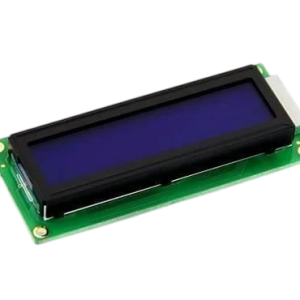
Interface character LCD displays using the dedicated onboard interface .
-
Configure external reference voltage using the second onboard potentiometer .
-
Teach electronics concepts effectively in educational environments.
-
Prototype professional projects with a fully reconfigurable development platform .
3️⃣ Advanced Features
-
Design custom embedded systems using the versatile ATMEGA32 microcontroller platform.
-
Develop mixed-signal applications using the 8-channel 10-bit Analog-to-Digital Converter.
-
Implement multiple serial communication protocols including USART, SPI, and I2C.
-
Create event-driven applications using external interrupts and pin change interrupts.
-
Build timer-based applications using the advanced 16-bit and 8-bit timers.
-
Develop industrial control systems with PWM outputs for motor control.
-
Create dual-platform applications compatible with both ATMEGA32 and Arduino Nano.
-
Implement bootloader functionality for over-the-air or serial programming.
-
Design portable projects requiring low power consumption and sleep modes.
-
Develop data logging applications using external EEPROM storage.
-
Build robotic control systems with precise servo motor control.
-
Create real-time clock applications using I2C RTC modules.
-
Develop display-based applications using character and graphical LCD interfaces.
-
Implement wireless communication using Bluetooth, WiFi, and RF modules.
-
Design autonomous systems using multiple sensor integration.
-
Develop interactive installations using the board's built-in feedback components.
-
Create test and measurement instruments using ADC and external reference.
-
Implement PID controllers for robotics and process control applications.
-
Design data acquisition systems for scientific and industrial monitoring.
-
Develop complete IoT prototypes with sensor integration and cloud connectivity.
4️⃣ Frequently Asked Questions
Q1: What is the MikroDuino-II AVR ATMEGA32 Arduino Compatible Board Without LCD, IC And Arduino?
Answer: This is a development board designed for ATMEGA32 microcontroller projects. You program it through Arduino IDE and add your own IC and LCD components separately .
Q2: Does this board come with a microcontroller installed?
Answer: No, this board does not include the ATMEGA32 IC, LCD, or Arduino Nano. You purchase and install these components separately based on your needs .
Q3: Can I program this board using Arduino IDE?
Answer: Yes, the board supports programming through Arduino IDE using either the USBASP interface or FTDI232 USB-to-Serial converter .
Q4: What is the advantage of the Arduino Nano socket?
Answer: The socket allows you to host an Arduino Nano on the board, providing cross-platform compatibility and project portability between the two platforms .
Q5: What onboard components does this board include?
Answer: The board includes eight LEDs, a buzzer, three push buttons, a potentiometer, and an adjustable external reference potentiometer .
Q6: Is this board suitable for beginners?
Answer: Absolutely. The board works with Arduino IDE and includes tutorials and resources suitable for beginners learning embedded systems .
Q7: How do I connect this board to my computer?
Answer: You can connect using the USBASP programmer interface or the FTDI232 USB-to-Serial converter for programming and communication .
Q8: What power supply does the board require?
Answer: The board accepts an external DC power supply with on-board 5V and 3.3V voltage regulators for stable operation .
Q9: Can I use Arduino libraries with this board?
Answer: Yes, the Arduino IDE compatibility allows you to use standard Arduino libraries for your projects .
Q10: What type of LCD can I interface with this board?
Answer: The board includes a dedicated character LCD interface for easy connection of standard HD44780 compatible displays .
5️⃣ Where It Can Be Used
-
University Laboratories: Engineering students across Pakistan use this board for embedded systems and microcontroller courses.
-
Professional Prototyping: Engineers develop proof-of-concept projects for industrial applications and product development.
-
STEM Education: Schools implement hands-on electronics and programming education using this versatile platform.
-
Smart Home Projects: Home automation enthusiasts build custom control systems for lights, fans, and appliances.
-
Robotics Development: Hobbyists and professionals create wheeled robots, robotic arms, and autonomous systems.
-
Research Projects: Academic researchers develop experimental setups and data acquisition systems.
-
Interactive Installations: Artists and designers create interactive exhibits and art installations.
-
Industrial Controls: Technicians develop simple automation systems for manufacturing and process control.
-
Personal Learning: Self-learners explore electronics and programming fundamentals independently.
-
Technical Workshops: Training centers conduct hands-on workshops and certification programs.
6️⃣ How to Use
Step 1: Prepare Your Components
Purchase an ATMEGA32 microcontroller (IC) separately and install it into the board's IC socket. Also acquire a character LCD and Arduino Nano if you plan to use these features . The board comes without these components, giving you flexibility to choose based on your project requirements.
Step 2: Install Programming Software
Download and install the Arduino IDE on your computer. Install the necessary board definitions for ATMEGA32 programming. The board supports USBASP programming and FTDI232 USB-to-Serial interfaces .
Step 3: Set Up Power Supply
Connect an external DC power supply to the board's power input. The on-board 5V and 3.3V regulators provide stable power for the microcontroller and peripherals .
Step 4: Connect the Board
Connect the USBASP programmer or FTDI232 module to the appropriate interfaces on the board. Connect the programming module to your computer via USB cable.
Step 5: Test Onboard Features
Write a simple program to blink the onboard LEDs. This confirms your development environment works correctly. Use the push buttons and potentiometer for additional testing.
Step 6: Add Peripherals
Connect your character LCD to the dedicated interface. Add sensors like DS18B20 for temperature measurements. Use the GPIO headers to expand functionality .
Step 7: Start Your Project
Write your application code and upload it to the ATMEGA32 microcontroller. Test all functionality thoroughly before implementation.
Safety Tips:
-
Always disconnect power when inserting or removing components.
-
Handle the board carefully to avoid static discharge damage.
-
Verify power connections before applying power to the board.
-
Store the board in an anti-static bag when not in use.
Maintenance Guidance:
-
Clean the board gently with a soft brush to remove dust.
-
Check connections periodically for security.
-
Keep the board away from moisture and extreme temperatures.
-
Update programming software regularly.
7️⃣ Advantages
-
Cost-Effective Education: Bundle price reduces per-student costs for schools and universities.
-
Learn Industry-Standard Technology: ATMEGA32 microcontrollers remain widely used in industry.
-
Arduino IDE Support: Beginners start quickly without learning complex development tools .
-
Complete Onboard Features: LEDs, buzzer, and push buttons eliminate external component needs .
-
Flexible Programming: Multiple interfaces (USBASP, FTDI232) provide programming options .
-
Cross-Platform Compatibility: Arduino Nano socket enables project portability .
-
Versatile Connections: GPIO headers support various sensor and actuator types.
-
Temperature Monitoring: DS18B20 sensor interface enables environmental monitoring .
-
Precise Measurements: Adjustable external reference enhances ADC accuracy .
-
Fully Configurable: Jumpers allow custom connections for any IO line .
8️⃣ Disadvantages
-
Microcontroller Not Included: You must purchase ATMEGA32 IC separately.
-
LCD Not Included: Character LCD display requires additional purchase.
-
Arduino Nano Not Included: You provide your own Arduino Nano if needed.
-
Programming Cable Required: USBASP or FTDI232 cable must be purchased separately.
-
Learning Curve: Understanding ATMEGA32 registers and functions takes time.
-
Limited Resources: ATMEGA32 has less memory than ESP32 or ARM alternatives.
-
Slower Processing: ATMEGA32 operates slower than modern 32-bit microcontrollers.
-
Older Technology: ATMEGA32 uses older AVR architecture compared to newer platforms.
-
No Built-in USB: Requires external programmer for USB connectivity.
-
Limited Community: Fewer online resources compared to mainstream Arduino boards.
9️⃣ City-Wise Sales Coverage in Punjab
The MikroDuino-II AVR ATMEGA32 Arduino Compatible Board is now available across Punjab, Pakistan. We deliver to Lahore, Faisalabad, Rawalpindi, Multan, Gujranwala, Sialkot, Bahawalpur, Sargodha, Rahim Yar Khan, Sheikhupura, Jhang, Dera Ghazi Khan, Gujrat, Okara, Kasur, Sahiwal, Khanewal, Chiniot, Pakpattan, and Vehari. Students in Lahore's prestigious universities and professionals in Faisalabad's industrial sector can access this educational board quickly. The widespread availability ensures every city in Punjab receives quick delivery for educational institutions, hobbyists, and businesses developing embedded systems projects.
MikroDuino-II ATMEGA32 Arduino Board Pakistan - Buy Now Buy MikroDuino-II AVR ATMEGA32 Arduino Compatible Board Without LCD, IC And Arduino in Pakistan. Program via Arduino IDE, learn embedded systems. Available across Punjab. MikroDuino-II, ATMEGA32 Arduino Board, AVR Development Board Pakistan, Arduino Compatible Board, ATMEGA32 Microcontroller, USBASP Programmer, Arduino IDE Programming, Embedded Systems Board, Pakistan Electronics, ATMEGA32 Projects, Arduino Nano Compatible, Microcontroller Education, Electronics Lab, FTDI232 Interface, Punjab Electronics