Product Page

Mikroduino Kiwi Avr Atmega32 Arduino Ready Development | microsolution.com.pk
₨ 4,500
[yith_wcwl_add_to_wishlist]
Need some help?
Contact Us
Product Ships in
2-3-business Days
Payment Methods:

Mikroduino Kiwi Avr ATMEGA32 Arduino Ready Development Board Without LCD Without Microcontroller | in Pakistan
Product Introduction
Are you ready to dive into the exciting world of AVR microcontrollers? We bring you the perfect development board to start your journey. The Mikroduino Kiwi Avr Atmega32 Arduino Ready Development board provides a robust and accessible platform for students, professionals, and hobbyists across Pakistan. This board simplifies the learning curve, allowing you to build innovative projects with confidence.
We designed the Mikroduino Kiwi Avr Atmega32 Arduino Ready Development board for the Pakistani tech community. We understand that you need reliable, affordable, and high-quality components. This board delivers exactly that. You get a powerful ATMega32A microcontroller with 32 general-purpose I/O lines, ready for your creative applications. Whether you study in Lahore or work on industrial projects in Karachi, this board is your ideal partner.
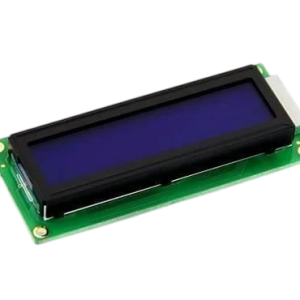
The Mikroduino Kiwi Avr Atmega32 Arduino Ready Development board stands out for its excellent build quality and thoughtful design. It integrates eight LED indicators for clear visual feedback, two push switches for easy input, and a convenient character LCD interface. These features help you learn and prototype quickly without needing extra components. You can focus entirely on your code and project logic.
Why choose this development board? The Mikroduino Kiwi Avr Atmega32 Arduino Ready Development board includes everything you need to start programming immediately. The package includes an FT232 USB-to-serial board and a 6-wire jumper cable for straightforward programming. Simply connect it to your computer, open your IDE, and begin uploading your code. This board makes embedded systems accessible to everyone.
The Mikroduino Kiwi Avr Atmega32 Arduino Ready Development board offers unbeatable value for money. In a market where quality components can be expensive, we provide this board at an affordable price. You receive a professional-grade development tool that won't break your budget. This board also boasts the same form-factor as Arduino Uno, making it compatible with numerous Arduino shields and accessories. You can expand your projects easily without buying multiple boards.
We believe in empowering the next generation of engineers and innovators in Pakistan. The Mikroduino Kiwi Avr Atmega32 Arduino Ready Development board serves as an excellent platform for learning AVR programming, building prototypes for university projects, and developing real-world applications. It provides a solid foundation for your skills and encourages you to explore more complex embedded systems. Invest in this board and unlock endless possibilities. We deliver the Mikroduino Kiwi Avr Atmega32 Arduino Ready Development board across Pakistan, bringing quality electronics to your doorstep. Enhance your learning and project development with this top-tier, affordable, and feature-rich development board .
2️⃣ Key Features
-
Learn AVR microcontroller programming with a powerful ATMega32A processor at its core .
-
Access 32 general-purpose I/O lines to connect various sensors, actuators, and display modules .
-
Build analog circuits using the 8 dedicated analog-to-digital converter pins .
-
Receive instant visual feedback from the eight onboard LED indicators during program execution .
-
Interact with your projects easily through the two onboard push switches .
-
Display information directly on a character LCD using the built-in interface .
-
Start programming immediately with the included FT232 USB-to-serial board .
-
Connect the board to your computer effortlessly using the provided 6-wire jumper cable .
-
Save money with an affordable development board that doesn't compromise on quality.
-
Expand your project's capabilities with shields compatible with the Arduino Uno form factor .
-
Power the board conveniently via the USB connection for simple operation .
-
Utilize the board's compatibility with both AVR Studio and Arduino IDE for flexible development .
-
Debug your code efficiently using the onboard LEDs for quick status checks .
-
Build robust projects for industrial, educational, and hobbyist applications .
-
Enjoy durable construction designed to withstand regular use in a learning environment .
-
Learn about serial communication using the built-in USART interface for advanced projects .
-
Create prototypes with ease, thanks to the board's organized layout and accessible pins .
-
Rely on the board's proven performance for your academic and professional projects .
-
Access multiple timers and counters for precise timing and control applications .
-
Get excellent value with the comprehensive package, providing everything you need to start.
3️⃣ Advanced Features
-
Leverage the ATMega32A's powerful RISC architecture for high-speed program execution .
-
Implement complex control systems using the board's 8-channel 10-bit ADC for precise analog measurements .
-
Optimize your code with the board's support for in-system programming (ISP) for efficient debugging .
-
Deploy advanced timer functions, including PWM outputs, for motor control and dimming applications .
-
Automate your systems with the board's multiple communication interfaces, including SPI and I2C .
-
Develop professional-grade applications with the reliable and stable voltage regulation on board .
-
Integrate real-time clock modules and other digital sensors using the board's GPIO pins .
-
Build sophisticated data logging systems with the microcontroller's large program memory .
-
Customize your firmware using the board's support for C and Assembly programming languages .
-
Configure the onboard LEDs and switches as active-low or active-high for flexible interface design.
-
Protect your circuits with the board's robust design and proper grounding for stable operation.
-
Enhance your project's capabilities with external interrupts for real-time event handling.
-
Boost performance by utilizing the onboard external crystal oscillator for accurate timing.
-
Create portable devices by powering the board with a standard 9V battery for on-the-go development.
-
Simplify complex projects with the board's integration of key features like SPI and UART .
-
Develop reliable code with the microcontroller's built-in brown-out detection for system stability .
-
Expand your project's memory using the board's support for external EEPROM and SD cards .
-
Implement intelligent control algorithms with the timer/counter modules for precise operations .
-
Build professional systems with the board's robust reset circuit for consistent start-up.
-
Innovate with a platform that bridges the gap between learning and professional development.
4️⃣ Frequently Asked Questions
Q1: What is the Mikroduino Kiwi AVR ATmega32 Arduino Ready Development board?
Answer: It is a versatile development board designed for learning and building projects with the AVR ATMega32 microcontroller. It's a cost-effective and reliable platform for students and professionals .
Q2: Does the board come with the ATmega32 microcontroller installed?
Answer: The board is available without the microcontroller. This gives you the flexibility to source the IC separately or use one you already have. Please check the product listing to ensure it matches your requirement .
Q3: What is included in the package?
Answer: The package includes the Mikroduino Kiwi development board, an FT232 USB-to-serial board for programming, and a 6-wire jumper cable. This package provides everything you need to start programming quickly .
Q4: Can I program this board using the Arduino IDE?
Answer: Yes. The Mikroduino Kiwi AVR ATmega32 Arduino Ready Development board works with Arduino IDE. This makes it an excellent choice for users transitioning from Arduino to bare-metal AVR programming .
Q5: What are the key features of the onboard microcontroller?
Answer: The ATMega32A features 32 general-purpose I/O lines, 8 analog-to-digital converter channels, a USART interface, timers, and a 10-bit ADC. This makes it highly capable for various projects .
Q6: Is this board suitable for beginners?
Answer: Absolutely. The board includes onboard LEDs, push switches, and an LCD interface, making it perfect for beginners to learn and experiment. The included programming cable also simplifies the process .
Q7: What is the purpose of the onboard LEDs?
Answer: The eight onboard LED indicators connect to I/O lines of your choice. They provide visual feedback for your program, making testing and debugging much simpler .
Q8: How can I program the Mikroduino Kiwi board?
Answer: You can program the board using the included FT232 USB-to-serial board and 6-wire cable. Connect it to your PC and use a compatible IDE, such as Arduino IDE or AVR Studio .
Q9: What types of projects can I build with this board?
Answer: You can build various projects, including robotics, automation systems, data loggers, and home appliances. Its versatility makes it suitable for both educational and professional applications.
Q10: Is this development board compatible with Arduino shields?
Answer: Yes, the board shares the same form-factor as Arduino Uno. This compatibility allows you to attach multiple Arduino shields and easily expand your project's capabilities.
5️⃣ Where It Can Be Used
-
University Education: Students learn the fundamentals of embedded systems and AVR programming using the Mikroduino Kiwi board in labs and final-year projects .
-
Robotics Projects: Engineers build autonomous robots and control systems by leveraging the board's GPIO pins, ADC, and timers.
-
Industrial Automation: Professionals deploy this board in prototypes for monitoring and controlling industrial processes and machinery.
-
Home Automation: Enthusiasts create smart home systems that control appliances, lights, and sensors using this board.
-
Medical Devices: Developers prototype portable medical monitoring and diagnostic equipment with its reliable analog and digital interfaces.
-
Data Logging: Researchers use the board to build systems that collect data from various sensors and store it for analysis.
-
IoT Applications: Engineers create connected devices by combining the board with communication modules for remote monitoring.
-
Research and Development: Scientists use the board to create experimental setups and data acquisition systems.
-
Hobby Projects: Hobbyists build their own gadgets, from weather stations to automated plant watering systems.
-
Small Business Solutions: Entrepreneurs develop custom automation and monitoring solutions for local businesses.
6️⃣ How to Use
Step 1: Unbox and Inspect
Open your package and verify the contents. You should have the Mikroduino Kiwi Avr Atmega32 Arduino Ready Development board, the FT232 USB-to-serial board, and a 6-wire jumper cable . Ensure the board is in good condition with no visible physical damage. The board is designed to be robust, but a quick check is always wise.
Step 2: Assemble Your Programming Setup
First, insert your ATMega32A microcontroller into the 40-pin socket on the Kiwi board. Make sure you align the notched corner correctly. Second, connect the FT232 USB-to-serial board to your computer via USB. Third, use the 6-wire jumper cable to connect the FT232 board to the 6-pin programming header on the Kiwi board. This setup allows you to upload code directly to the microcontroller.
Step 3: Write Your First Program
Open your preferred integrated development environment (IDE), such as Arduino IDE or AVR Studio. Write a simple program, for example, to blink the onboard LED. Select the correct board settings and port in your IDE. Compile your code and upload it to the board. You will see the LED blinking when the upload succeeds.
Safety Tips
First, always turn off the power before connecting or disconnecting any components to avoid short circuits. Second, never exceed the microcontroller's maximum voltage rating to prevent damage. Third, handle the board with care to avoid static discharge, which can damage sensitive electronic components.
Maintenance
The Mikroduino Kiwi AVR board requires minimal maintenance. First, keep the board clean and free from dust by using a soft brush or compressed air. Second, avoid exposing the board to extreme temperatures, humidity, or corrosive substances. Third, when not in use, store the board in a safe, dry, and anti-static environment to ensure long-lasting performance.
7️⃣ Advantages
-
Educational Excellence: The board's design makes it an ideal tool for learning AVR programming in an academic environment.
-
Excellent Value: You get a robust development board, programmer, and cable at a very affordable price.
-
Easy Integration: Its Arduino Uno form factor allows you to use a wide range of shields and expansion boards.
-
Versatile Use: Suitable for a vast array of applications, from simple LED blinking to complex industrial control systems.
-
User-Friendly Design: Onboard LEDs, buttons, and an LCD interface make prototyping and debugging simple .
-
Reliable Performance: Enjoy consistent and reliable operation for your critical projects and experiments.
-
Quick Setup: Start your project immediately with the included USB-to-serial board and jumper cable .
-
Flexible Development: Program the board using Arduino IDE for simplicity or AVR Studio for advanced features .
-
Community Support: Large and active online communities provide abundant tutorials and resources.
-
Future-Proof Skills: Build a strong foundation in embedded systems using this powerful AVR platform.
8️⃣ Disadvantages
-
No Onboard Microcontroller: The board does not include the ATmega32 IC, requiring you to source it separately .
-
Beginner Soldering: If you choose to assemble the board, some soldering skill may be needed for the components.
-
Breadboard Compatibility: The board's design may not be directly compatible with standard breadboards for easy prototyping.
-
Limited Memory: The ATmega32's program memory may be insufficient for very complex applications.
-
Power Requirement: It requires an external power source via USB or a battery, as it doesn't have an onboard power supply module.
-
Intermediate Complexity: While educational, the AVR platform is more complex than a standard Arduino Uno.
-
No USB Port: The board doesn't have a built-in USB port; you need the separate programmer for uploading code.
-
Documentation: You might need to seek out additional resources for detailed pinouts and usage guides.
-
Cable Dependency: The programming process relies on a cable, which can be lost or damaged.
-
Specific IDE: You might require specific drivers or software to use the FT232 programmer on your computer.
9️⃣ City-Wise Sales Coverage in Punjab
We proudly offer the Mikroduino Kiwi Avr Atmega32 Arduino Ready Development board to customers across Punjab. You can order from any major city, including Lahore, Faisalabad, Rawalpindi, Multan, Gujranwala, Sialkot, Bahawalpur, Sargodha, Rahim Yar Khan, Sheikhupura, Jhang, Dera Ghazi Khan, Gujrat, Okara, Kasur, Sahiwal, Khanewal, Chiniot, Pakpattan, and Vehari. We deliver this top-quality development board to your doorstep, ensuring you have access to premium electronic components no matter where you are in Punjab.
Buy Mikroduino Kiwi AVR ATmega32 Board in Pakistan Get the Mikroduino Kiwi AVR ATmega32 Arduino Ready Development board in Pakistan. Perfect for students and professionals. Affordable, reliable, and in stock. Order now! Mikroduino Kiwi, AVR ATmega32, Development Board Pakistan, Arduino Ready Board, ATMega32 Pakistan, Buy Mikroduino Kiwi, AVR Development Board, Arduino Uno Shield Compatible, Embedded Systems Pakistan, Microcontroller Board, Electronics Pakistan, Student Project Board, Programmer Board, AVR Programmer, Mikroduino Pakistan